Free Forever for Core Clipping
Clip, edit, caption, and export for free. Optional Premium adds convenience like sorting, tags, and presets, but you never hit a paywall just to post.
Boltis lets you save Twitch moments with one hotkey, then turn them into vertical clips for TikTok and YouTube Shorts without VOD scrubbing, local recording, or editing marathons.
v5.0.3 for Windows 10/11
Built by a streamer, for streamers.
NeroZYN is offlineReal streamers, real workflow pain. Begging for clips, scrubbing VODs at 1.5x, watching AI miss the good stuff. Boltis was built to kill all three.
I've been begging my viewers for years to clip funny moments, but no one clips!!
I watch all my VODs at 1.5x speed, audio only, while I work my 9-5. If something makes me laugh, I rewind and clip it.
Twitch's AI clipper? Pirate Software called it 'auto-slop garbage.' It picks random moments, not your best ones.
One of them burns your whole evening. The other is done before you stop laughing.
Three steps. No VOD review. No editing marathon.
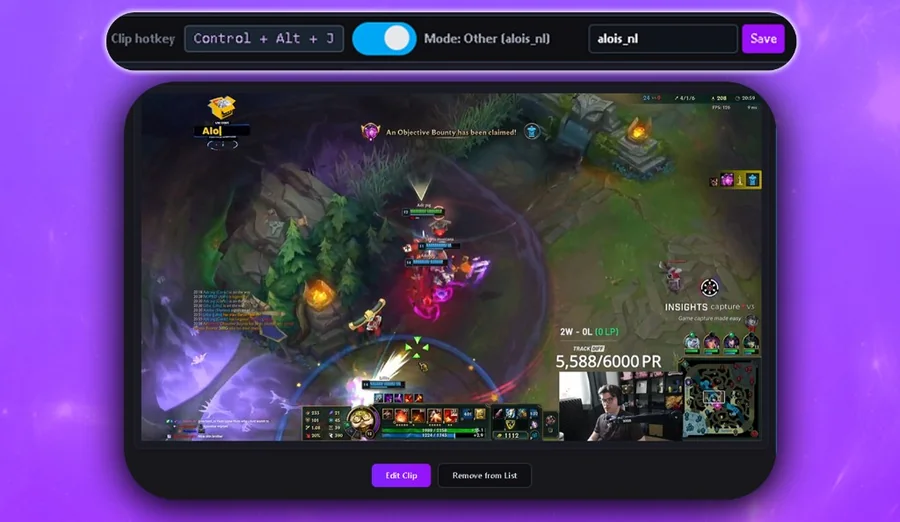
Most clipping tools are screen recorders that quietly eat your frames. Boltis is the opposite. It simply tells Twitch to save the last 60 seconds using Twitch's own clipping system, so nothing runs in the background and nothing touches your game.
Clips are created server side by Twitch, not captured on your PC.
Nothing records your screen in the background. Your footage stays yours.
Your CPU and GPU stay 100% focused on the game you are playing.
AI tools promise speed, then miss your best moments and eat the time they saved you. Here's the real trade-off.
Beyond the workflow itself, Boltis is built to stay out of your way: no paywalls on the core tools, no branding on your clips, and room for your mods to pitch in.
Clip, edit, caption, and export for free. Optional Premium adds convenience like sorting, tags, and presets, but you never hit a paywall just to post.
Your content is yours. We don't plaster our logo on your clips or interrupt your workflow with ads.
Mods can install Boltis and clip with their own hotkey, so your content bank fills up while you focus on the game.
These clips were captured and edited entirely in Boltis
Got questions? We've got answers.
Yes! Boltis is free to download and use. AI captions and core clipping and export are free. We offer optional Premium for extra convenience clip sorting, tags, layout presets, and more but you'll never hit a paywall just to clip and export.
AI clippers can be useful for surfacing volume from a VOD after the fact, but they work by guessing what mattered after your stream ended. Boltis is the opposite: you press a key the instant something good happens, and the clip is captured live, before the moment is lost. Use both if you want, but if you want the clips you actually care about, you'll want to capture them yourself.
Not at all. Boltis uses Twitch's clip API, so it doesn't record anything locally. Your CPU and GPU stay 100% focused on your game. The clip is created server-side by Twitch.
Yes, Boltis works by creating Twitch clips, so you need to be streaming. When you press your hotkey, it captures the last 60 seconds of your broadcast as a clip.
Yes. You may see a Windows SmartScreen warning during installation. That is normal for indie software without an expensive code signing certificate. Our install help page walks you through it step by step.
Currently Boltis is Windows only. Mac and Linux support may come in the future based on demand.
Yes. Mods install Boltis, link their Twitch account, and get their own hotkey. Anything they clip lands in your library, which helps when you're locked into a clutch and can't reach the keyboard.